


Transparent Background Maker
Make image background transparent with Picsman, instantly transform your photos and give you a clean, professional look in seconds.
Say goodbye to cluttered backgrounds and hello to endless creative possibilities! Create transparent background for free now!
Say goodbye to cluttered backgrounds and hello to endless creative possibilities! Create transparent background for free now!



Unlock different uses for Picture Transparent Maker
Unlock different uses for Picture Transparent Maker
With transparent background, you can easily place portraits, products, graphics and any images on different backgrounds
People
Product
Car
Animal
Graphic


It’s so easy to make background transparent
It’s so easy to make background transparent
Ensure your visuals look polished and professional without any extra effort
Remove background from logo with Picsman
Picsman's logo background remover provides you with a more efficient and fast solution. Creating a high-resolution transparent logo PNG has never been easier!
Transparent logo PNG is not only more attractive, but also more practical. Transparent logos can be seamlessly added to your brand website, product images, and digital business cards.

Enjoy more functionality and flexibility with transparent PNGs
With Picsman’s Transparent Image Maker, you can effortlessly remove backgrounds and unlock endless creative possibilities. You can add a new background to the transparent image or use it in your design projects.
A transparent PNG gives you the flexibility to layer, blend and enhance your designs like a pro. Whether you need crisp, transparent stickers, clean-cut graphics, refined logo files, or seamless design elements, our tool makes it easy to integrate them into any project. Stand out with stunning visuals—Start today!
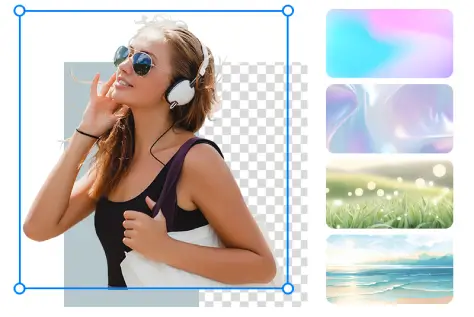
Convert multiple images to PNG with transparent background at once
Tired of removing backgrounds one image at a time? Save time and streamline your workflow with Picsman’s online transparent PNG maker!
Simply upload multiple images, and our advanced tool will instantly convert them into background-free transparent images at once. No more repetitive editing—just fast, efficient, and hassle-free background removal that lets you focus on creating stunning visuals. Try it now and make bulk editing effortless!

Remove background from logo with Picsman
Picsman's logo background remover provides you with a more efficient and fast solution. Creating a high-resolution transparent logo PNG has never been easier!
Transparent logo PNG is not only more attractive, but also more practical. Transparent logos can be seamlessly added to your brand website, product images, and digital business cards.
Enjoy more functionality and flexibility with transparent PNGs
With Picsman’s Transparent Image Maker, you can effortlessly remove backgrounds and unlock endless creative possibilities. You can add a new background to the transparent image or use it in your design projects.
A transparent PNG gives you the flexibility to layer, blend and enhance your designs like a pro. Whether you need crisp, transparent stickers, clean-cut graphics, refined logo files, or seamless design elements, our tool makes it easy to integrate them into any project. Stand out with stunning visuals—Start today!
Convert multiple images to PNG with transparent background at once
Tired of removing backgrounds one image at a time? Save time and streamline your workflow with Picsman’s online transparent PNG maker!
Simply upload multiple images, and our advanced tool will instantly convert them into background-free transparent images at once. No more repetitive editing—just fast, efficient, and hassle-free background removal that lets you focus on creating stunning visuals. Try it now and make bulk editing effortless!
More useful tools from Picsman
More useful tools from Picsman
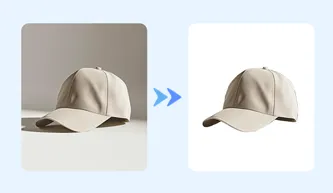

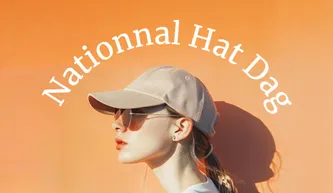


They Love Creating with Picsman
They Love Creating with Picsman

Sarah

High precision
I was impressed by how well Picsman's transparent background maker handled annoying feathering and any other intricate edge details without making the image look jagged and amateurish.

Richard
Simplify the process
Absolutely great! The remove background image tool in Picsman saved me hours of tedious editing, effortlessly removing backgrounds and refining my images with just a few clicks.

Joseph
The easiest editor
The easiest blank background editor! I used to leave this work to others because I didn't want to spend too much time converting images to png, but now with Picsman I can do it all myself.



Get Picsman APP
now
Download our mobile app and enjoy editing photos on the go — anytime, anywhere.




All-in-one photo editor with powerful AI. Contact us: support@picsman.ai


Free Tools

Copyright © PICSMAN INC.
Terms of Use | Privacy Policy | Billing Policy | Cookie Policy

English

FAQs About Picsman’s Transparent Background Maker
1.How to make my image’s background transparent?
2.Is it free to make background transparent with Picsman ?
3.Why we need a photo with transparent background?