


Change Background Color
Want to find a photo background editor to change color PNG? Give your images a fresh new look with Picsman’s Background Changer!
With just a few clicks, you can edit photo background color effortlessly. Replace distracting backgrounds with any color of your choice and instantly make your subject stand out.
With just a few clicks, you can edit photo background color effortlessly. Replace distracting backgrounds with any color of your choice and instantly make your subject stand out.



Remove background and add background color to image
Remove background and add background color to image
Easily set your favorite color as image background with Picsman's background color changer. Insert a pop of color or a gradient to make your image more attractive
People
Product
Animal
Car
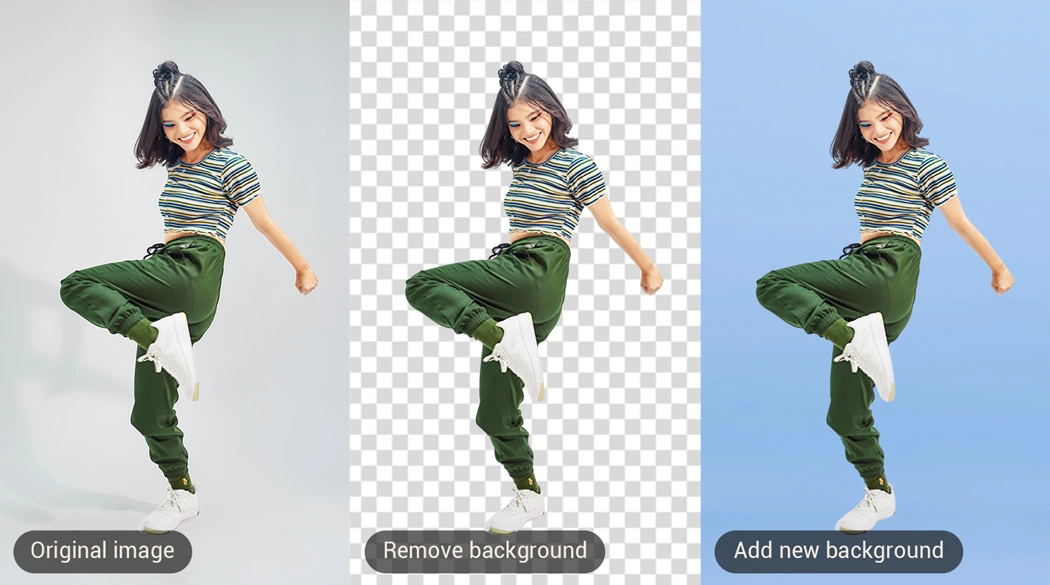
Change color of background to give your photos a new look
Change color of background to give your photos a new look
Choose a specific color or choose a beautiful gradient background from stock to enhance your photos
Easy & Instant AI Background Color Changer
With Picsman's AI Background Editor, you can instantly change the color of your image background with just one click.
Our advanced AI accurately removes the original background and instantly replaces it with the color you select, giving your image a fresh, polished look. Whether you’re aiming for a clean, minimal style or a bold new vibe, customizing your background has never been easier! Say goodbye to complex editing and hello to fast, professional results!

Edit photo background color to enhance product visual appeal
Transform your product photos into eye-catching visuals that grab attention and boost sales with just a few simple edits! By changing the background color of your photo, you can enhance contrast, precision, and detail, making your products pop like never before.
Plus, you can add realistic shadows and reflections to give your photos a polished, studio-quality feel, perfect for e-commerce or marketing materials. It’s all about making your products shine and creating visuals that truly stand out!

Make colors evoke emotions in your audience with png color changer
Colors have the power to tell a story and evoke strong emotions, so why not use that to your advantage? With Picsman’s PNG Color Changer, you can customize the background of your images to make them pop and grab your audience's attention.
Whether you want to express bold energy with vibrant hues or create a calm, sophisticated atmosphere with stunning tones, the right color can make all the difference. Experiment with different color schemes to engage your audience and leave a lasting impression!

Easy & Instant AI Background Color Changer
With Picsman's AI Background Editor, you can instantly change the color of your image background with just one click.
Our advanced AI accurately removes the original background and instantly replaces it with the color you select, giving your image a fresh, polished look. Whether you’re aiming for a clean, minimal style or a bold new vibe, customizing your background has never been easier! Say goodbye to complex editing and hello to fast, professional results!
Edit photo background color to enhance product visual appeal
Transform your product photos into eye-catching visuals that grab attention and boost sales with just a few simple edits! By changing the background color of your photo, you can enhance contrast, precision, and detail, making your products pop like never before.
Plus, you can add realistic shadows and reflections to give your photos a polished, studio-quality feel, perfect for e-commerce or marketing materials. It’s all about making your products shine and creating visuals that truly stand out!
Make colors evoke emotions in your audience with png color changer
Colors have the power to tell a story and evoke strong emotions, so why not use that to your advantage? With Picsman’s PNG Color Changer, you can customize the background of your images to make them pop and grab your audience's attention.
Whether you want to express bold energy with vibrant hues or create a calm, sophisticated atmosphere with stunning tones, the right color can make all the difference. Experiment with different color schemes to engage your audience and leave a lasting impression!
More useful tools from Picsman
More useful tools from Picsman





They Love Creating with Picsman
They Love Creating with Picsman

Amanda

Edit product background
I love using Picsman's Remove Background Color feature during product launches! In just a few steps, I can quickly remove a color from an image and add a fun background to my products.

Patricia
Create unique posts
I love using Picsman's background color eraser for my social media posts. It's very easy to erase color in image and edit png background. Create something completely unique to get more engagement from my followers!

Matthew
Good for making poster
Best for editing png background. I often use it to remove backgrounds or change backgrounds without spending time taking new photos. Also i use it for retouch my pics for projects. It is a good for making poster.



Get Picsman APP
now
Download our mobile app and enjoy editing photos on the go — anytime, anywhere.




All-in-one photo editor with powerful AI. Contact us: support@picsman.ai


Free Tools

Copyright © PICSMAN INC.
Terms of Use | Privacy Policy | Billing Policy | Cookie Policy

English

FAQs About Picsman’s Background Color Changer
1.Why color is important in pictures?
2.How do I change background color of an image?
3.Can I modify background color of image on phone?