


Create Cinematic-Quality AI Videos with Google Veo 3 AI
Create Cinematic-Quality AI Videos with Google Veo 3 AI
Produce film-quality AI videos with realistic motion, lighting, and professional-grade cinematic effects
Realistic Lighting and Shadows for Cinematic Video Quality
Google Veo 3 AI delivers advanced lighting simulation, accurately reproducing natural and studio lighting conditions. From soft ambient light to dramatic high-contrast scenes, it generates precise shadows, reflections, and depth, making every frame feel immersive, polished, and comparable to real-world cinematography.
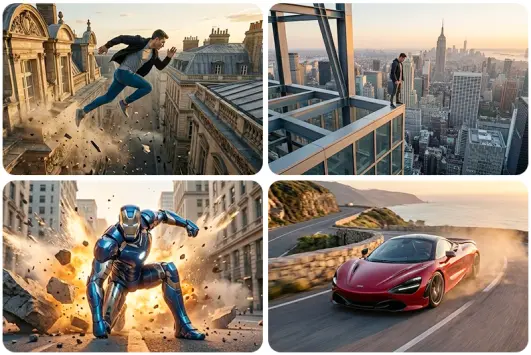
Complex Camera Movements for Professional Film Effects
With Veo 3 AI, you can generate videos featuring dynamic camera techniques such as dolly shots, pans, tilts, zooms, and tracking movements. The model understands cinematic language, enabling smooth transitions and realistic motion that mimic professional filmmaking, elevating storytelling and visual impact.
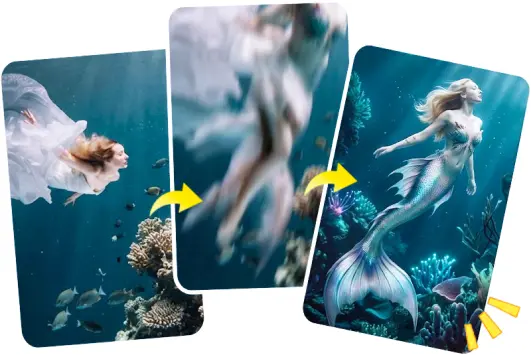
Advanced Physical Realism for Lifelike AI Video Generation
Veo 3 AI excels in simulating real-world physics, including object interactions, motion consistency, and environmental behavior. From fluid dynamics to character movement, it ensures lifelike results that maintain coherence across frames, producing highly believable AI-generated video content.
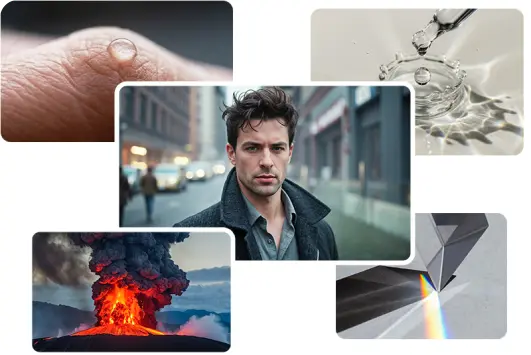
Realistic Lighting and Shadows for Cinematic Video Quality
Google Veo 3 AI delivers advanced lighting simulation, accurately reproducing natural and studio lighting conditions. From soft ambient light to dramatic high-contrast scenes, it generates precise shadows, reflections, and depth, making every frame feel immersive, polished, and comparable to real-world cinematography.
Complex Camera Movements for Professional Film Effects
With Veo 3 AI, you can generate videos featuring dynamic camera techniques such as dolly shots, pans, tilts, zooms, and tracking movements. The model understands cinematic language, enabling smooth transitions and realistic motion that mimic professional filmmaking, elevating storytelling and visual impact.
Advanced Physical Realism for Lifelike AI Video Generation
Veo 3 AI excels in simulating real-world physics, including object interactions, motion consistency, and environmental behavior. From fluid dynamics to character movement, it ensures lifelike results that maintain coherence across frames, producing highly believable AI-generated video content.
Professional Use Cases for Veo 3 Google AI
Unlock high-end AI video production for professional and commercial scenarios

Commercial Ads
Create polished ad videos with cinematic visuals, ideal for brand campaigns and paid media

High-End Visual Production
Generate premium-quality visuals for creative projects, trailers, and artistic productions
Corporate Videos
Produce professional business videos for presentations, branding, and internal communications

Cinematic Storytelling
Craft narrative-driven videos with film-like scenes, dynamic shots, and emotional depth
Try Veo 3 now
More useful tools from Picsman
More useful tools from Picsman


They Love Creating with Picsman
They Love Creating with Picsman

MistyAurora

Cinematic Quality Output
The video quality from Veo 3 is genuinely impressive. Lighting, shadows, and depth feel much closer to real film production than other AI tools I’ve tried. It’s not just “good for AI”—it actually looks usable for professional projects.

IronViper
Great for Commercial Work
I’ve used it for ad concepts, and the results are surprisingly polished. It’s fast enough for ideation, but also high-quality enough to present to clients. That balance makes it very useful in real commercial workflows.

RogueWolf
Strong Visual Consistency
Maintaining consistency across scenes is usually a challenge, but Veo 3 does a solid job. Characters, lighting, and environments stay coherent, which makes longer or more complex videos much easier to produce.



Get Picsman APP
now
Download our mobile app and enjoy editing photos on the go — anytime, anywhere.




All-in-one photo editor with powerful AI. Contact us: support@picsman.ai


Free Tools

Copyright © PICSMAN INC.
Terms of Use | Privacy Policy | Billing Policy | Cookie Policy

English

FAQs About Picsman’s Veo 3.1 Model
1. What is Google Veo 3.1?
2. Can I use Veo 3 AI-generated videos for commercial purposes?
3. Do generated videos include watermarks?