


Unblur Image
AI photo unblurring tool transform blur photo to clear photo online with one click
Or drag an image here

No image?
Try one of these
Try one of these


No image?Try one of these





How to unblur an image online?
How to unblur an image online?
AI-Powered blur remover helps you automatically analyze and remove blur from photos in seconds!
 Upload Image
Select an image that needs to be restored to high quality and upload it

 Automatically process
Picsman will automatically enhance image quality with AI in seconds
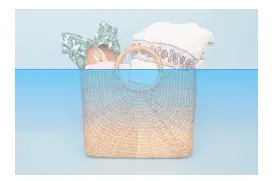
 Download Image
Then download your image and you're done! You can also save images in Picsman by creating an account

Picsman image sharpener handles any image
Picsman image sharpener handles any image
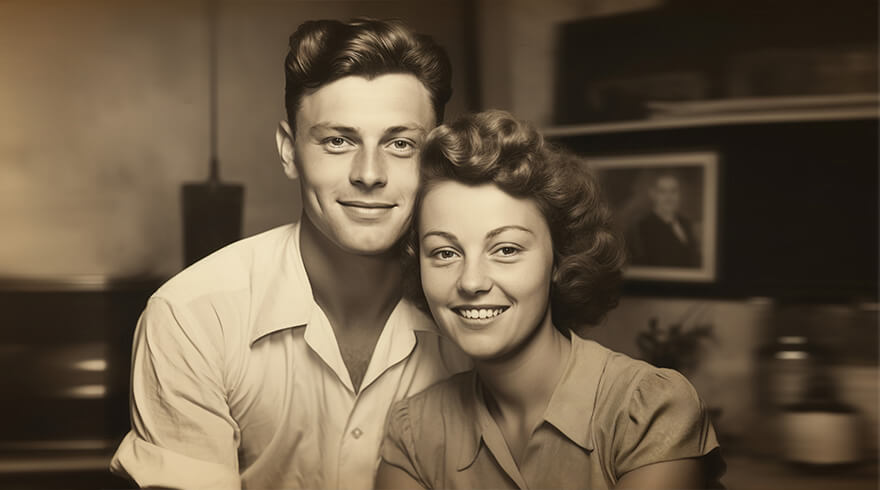
Easily enhance your portrait photos, product photos, and old photos to give your blurry photos a new look!
Old Photo
People
Product
Landscape

Effortlessly remove blur from any photo with just single click
Instantly unblur your images for clear, high-quality photos using AI algorithms that automatically analyze and remove blur from your photos. No editing skills required, just upload your blurred image and AI will take care of the rest

Sharpen images online and restore details in blurry images
You can quickly unblur images by improving sharpness and clarity with Picsman. Make the image appear crisper and more defined and improve any pixelated, damaged, fuzzy photos. Get more likes on social media with more attractive photos
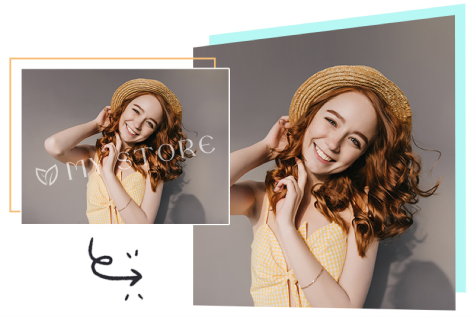
Improve image quality and increase image resolution from low resolution to 4K
With Picsman's AI image upscaling tool, with just one button you can upscale image quality, optimize pixelation and noise, and make images less blurry. Easily convert images to 720P, 1080P, 4K or even higher quality. Effortlessly present your photos on large print materials and high-definition displays
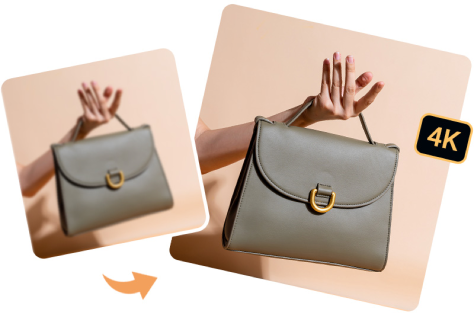
Effortlessly remove blur from any photo with just single click
Instantly unblur your images for clear, high-quality photos using AI algorithms that automatically analyze and remove blur from your photos. No editing skills required, just upload your blurred image and AI will take care of the rest
Sharpen images online and restore details in blurry images
You can quickly unblur images by improving sharpness and clarity with Picsman. Make the image appear crisper and more defined and improve any pixelated, damaged, fuzzy photos. Get more likes on social media with more attractive photos
Improve image quality and increase image resolution from low resolution to 4K
With Picsman's AI image upscaling tool, with just one button you can upscale image quality, optimize pixelation and noise, and make images less blurry. Easily convert images to 720P, 1080P, 4K or even higher quality. Effortlessly present your photos on large print materials and high-definition displays
More useful tools from Picsman
More useful tools from Picsman

They Love Creating with Picsman
They Love Creating with Picsman

Harper King

Save working time
Picsman AI unblur image tool changes my way to process images that are not clear. It saves me time when processing a large number of images. It removes blur and sharpen images in seconds for crisp, high-quality photos.

Grace Scott
Quick and easy
Picsman really revolutionizes how I upscale images with its amazing tool! Make blurry photos clear with Picsman’s online blur remover using a single button! It sharpens images quickly and easily so I don't need to eliminate the blurriness manually!

Charlotte Wilson
Enhance blurry photos
I love Picsman’s AI deblurring image tool! It helps me handle those blurry images or some out-of-focus photos in my work beautifully. Use AI to create a stunning depth field without worrying about blurred focus!



Get Picsman APP
now
Download our mobile app and enjoy editing photos on the go — anytime, anywhere.




All-in-one photo editor with powerful AI. Contact us: support@picsman.ai


Free Tools

Copyright © PICSMAN INC.
Terms of Use | Privacy Policy | Billing Policy | Cookie Policy

English

FAQs About Picsman’s Photo Unblurring Tool
1.What does it mean to unblur an image?
2.How to remove image blur?
3.Is it free to unblur an photo with Picsman?
4.What image formats does Picsman photo unblurring tool support?