









Color the Background of PNG Images Online
Easily change the color of PNG image and refresh your favorite
pictures with stunning colors. Edit PNG color instantly!
Change color of PNG instantly with one click
Colorize your background with Picsman’s AI Recolor PNG
tool. Simply upload your image, select the desired
background, and let AI do the hard work
No matter what the current background of your picture is,
Picsman's powerful PNG color changer will process your
image into PNG format to make the background of the image
transparent. You can then replace the background with any
new hue

Find the right background color with the PNG color changer
Picsman's picture color editor offers a wide range of
color options. Anyone can find the color they want. In
addition to solid color backgrounds, you can also use our
free gradient backgrounds or upload your own images to
customize the background of your PNG
Try different tones and turn your portraits into engaging
images. Whether you're editing a selfie or changing the
background of your professional headshot, we've got you
covered

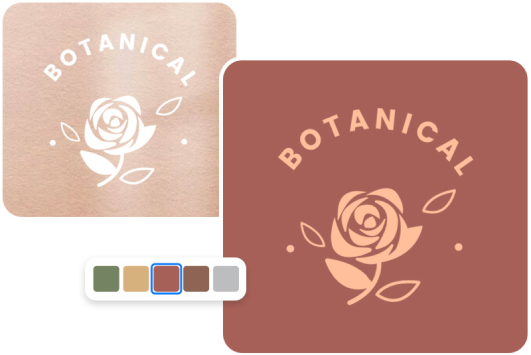
Change bg color of your logo to elevate your brand
Backgrounds don’t have to be set in stone. When you update
your brand logo or promote a new event, change your logo
background color to target specific audiences and drive
engagement
Give it a try! Change your png color today to bring out
and emphasize your products and brand, translating into
more sales! Play with colors and revamp your logo!
More useful tools from Picsman
More useful tools from Picsman





They Love Creating with Picsman
They Love Creating with Picsman

Lillian

Instant logo color edit
Picsman's png color changer is super easy to use! I
changed the background color of my logo PNG in seconds.
It's completely online, no need to install anything.
Love it!

Samantha
Quick color changer
I run a small business and needed to quickly edit the
background of my product images. This tool saved me a
lot of time and provided professional results. Even
after changing the background color, my PNG files
remained crisp.

Raymond
Easy to use
PNG Color Changer is awesome. It makes it super easy to
change the PNG background. Just upload, choose the
color, and download. Done! I have used this tool
multiple times on different projects.



Get Picsman APP now
Download our mobile app and enjoy editing photos on the go —
anytime, anywhere.




All-in-one photo editor with powerful AI. Contact us:
support@picsman.ai


Free Tools

Copyright © PICSMAN INC.
Terms of Use
|
Privacy Policy
|
Billing Policy
|
Cookie Policy

English

FAQs About Picsman’s PNG Color Changer
1.How to change the color of a png?
2.What is the best PNG color changer?