
 By Neil
What is an AI Video Enhancer
An AI Video Enhancer is a tool that uses artificial intelligence to automatically improve video quality. An AI video enhancer can upscale resolution (e.g., from 720p to 4K), reduce noise, improve clarity, fix blurred areas, stabilize shaky footage, sharpen details, and restore color in old or low-quality videos.
How to Choose the Best AI Video Enhancer
Video Enhancement Quality: Look for accurate upscaling, effective noise reduction, and clear detail enhancement without artifacts.
- Supported Resolutions & Formats: Ensure the tool supports your required input/output formats, including 4K or 8K if needed.
- Ease of Use: Choose a beginner-friendly interface or advanced controls based on your experience level.
- Processing Speed & Performance: Fast rendering and batch processing are important for handling large or multiple videos.
- AI Features: Check for functions like frame interpolation, deblurring, stabilization, and color restoration.
- Pricing & Free Trial: Matches your budget and provides a risk-free trial option.
- System Compatibility: Runs smoothly on Windows, macOS, or online platforms.
The Best 5 AI Video Enhancers
🟢Movavi
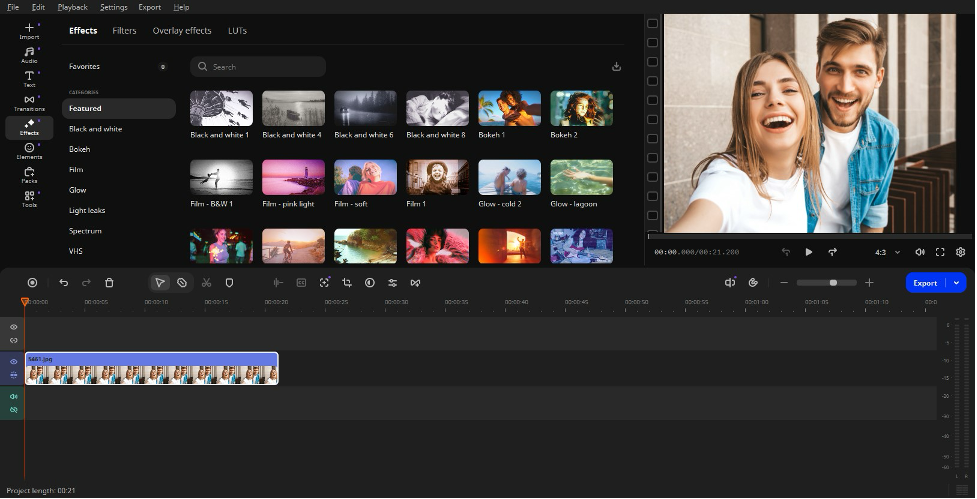
Movavi Video Editor helps beginners and hobbyists create awesome content easily. Users can trim clips, add captions, improve sound, apply one-click AI tools, and export videos for TikTok, Reels, YouTube, family clips, tutorials, or small business posts. Its AI features take care of everyday edits like subtitles, cleaner audio, shorter pauses, background changes, motion effects, and vertical clips.
✅ Pros
- Made for Beginners: Simple interface and timeline layout make video editing swift to learn.
- Helpful One-Click AI Features: Auto subtitles, noise cleanup, silence removal, and background tools save time.
- Large Effects Library: Hundreds of filters, titles, transitions, overlays, stickers, music, and sounds help videos look more eye-catching.
❗ Cons
- Trial Exports Have Limits: The free version lets users test the editor, but exported videos come with restrictions.
- Bigger Projects Need More Power: Long videos and AI edits run best on a capable computer.
- Clear Clips Work Best: Good lighting and clear speech help AI tools deliver smoother results.
🟢 Picsman
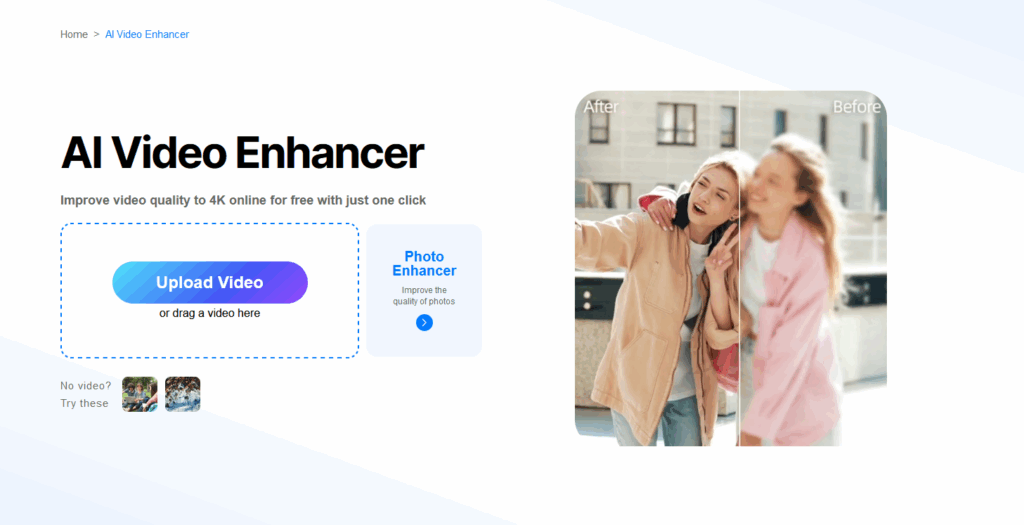
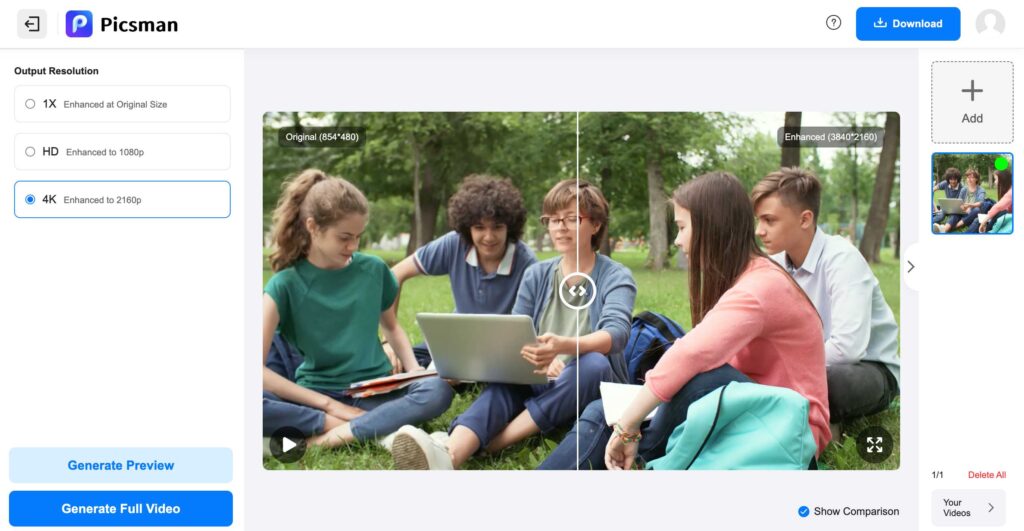
Picsman is an AI-powered video editor designed to simplify video creation and enhancement. It uses artificial intelligence to help users quickly improve video quality, remove backgrounds, clean up visuals, and optimize content for marketing and social media.
✅ Pros
- High cost-performance ratio: The tool offers strong AI video enhancement features at a relatively affordable price, providing good value for users.
- Data security: User files are processed securely with privacy protection in place, ensuring videos are not shared, misused, or stored longer than necessary.
- Fast AI Processing: AI-driven tools deliver quick results, improving workflow efficiency for users handling videos.
❗ Cons
- Some Features Require Payment: Access to premium tools, exports, or high-quality outputs may require a paid plan.
- Limited creative control: It relies heavily on automation, which can reduce manual control and flexibility for users.
- Limited suitability for complex projects: It is usually better for enhancement and automation rather than full-scale cinematic editing or advanced visual effects.
🟢 Topaz
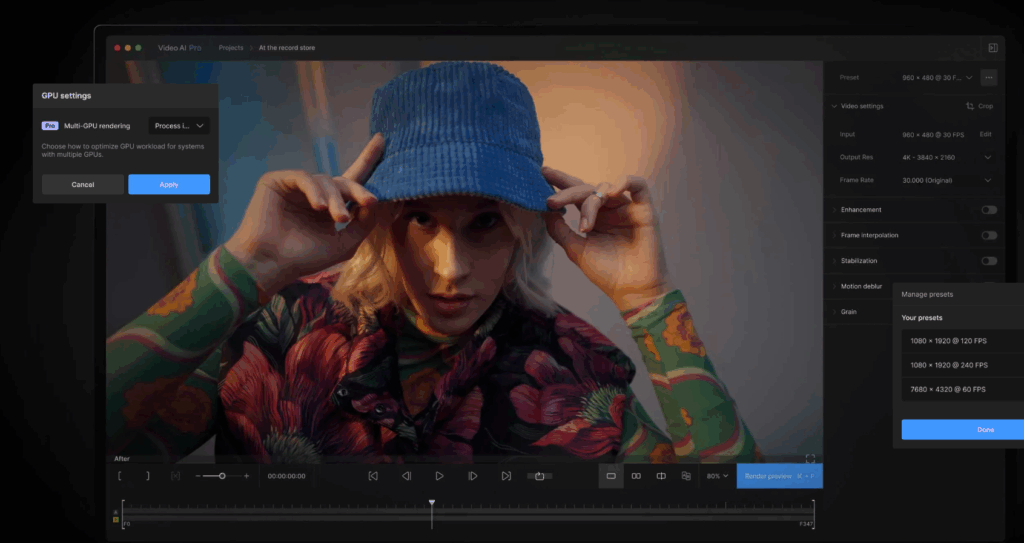
Topaz Video AI is an AI-powered video enhancement tool focused on improving video quality. It excels at upscaling low-resolution footage to HD, 4K, or 8K, while reducing noise, fixing blur, and removing compression artifacts. With features like stabilization and frame interpolation, it greatly improves old, shaky, or low-FPS videos, making it popular among content creators and professionals.
✅ Pros
- High-quality output: Topaz Video AI delivers industry-leading enhancement results, producing sharp, detailed, and natural-looking videos with excellent upscaling, noise reduction, and motion processing.
- Excellent for Old or Archival Footage: It is beneficial for restoring VHS tapes, historical footage, old movies, or videos recorded with early cameras or mobile devices.
- Helpful for Professional Editors and Content Creators: For video professionals and creators, Topaz Video AI can greatly reduce the time spent on manual tasks.
❗ Cons
- High Price: At $299, Topaz Video AI is relatively expensive compared with similar video enhancement tools. So it may not be suitable for budget-conscious users.
- Stability issues: Topaz Video AI can be unstable at times, with occasional crashes or freezes, especially during long renders or when processing high-resolution videos on less powerful systems.
- Learning Curve for Beginners: While the basic features are easy to use, it can take some time to learn different models and settings (e.g., noise reduction vs. sharpening)
🟢 Canva
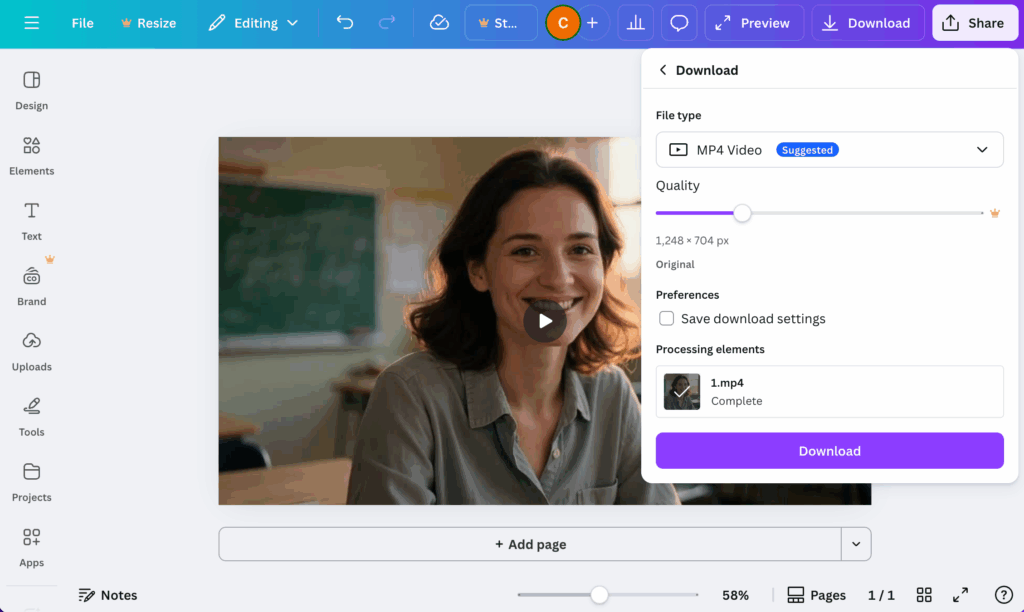
Canva is an easy-to-use online design platform that allows users to create graphics, presentations, videos, and social media content with minimal design experience. It offers a wide range of templates, drag-and-drop tools, and built-in assets, making it popular among individuals, teams, and businesses.
✅ Pros
- User-Friendly Interface: Canva’s drag-and-drop design makes it very easy to use, even for beginners with no design background.
- Rich Templates & Assets: It provides thousands of ready-made templates, icons, photos, fonts, and videos, greatly speeding up the design process.
- Great for Non-Designers & Teams: Canva is ideal for marketers, students, educators, and small businesses, with collaboration features that support teamwork.
❗ Cons
- Limited Advanced Design Control: Compared to professional AI video editor tools, Canva lacks advanced editing .
- Slow processing: For detailed branding work, advanced illustrations, or print-ready professional designs, Canva may feel restrictive.
- Subscription Cost for More Features: You’ll have access to just a limited selection of filters and effects in the free version, and gaining full entry to its extensive content library requires a paid upgrade.
🟢 Vmake
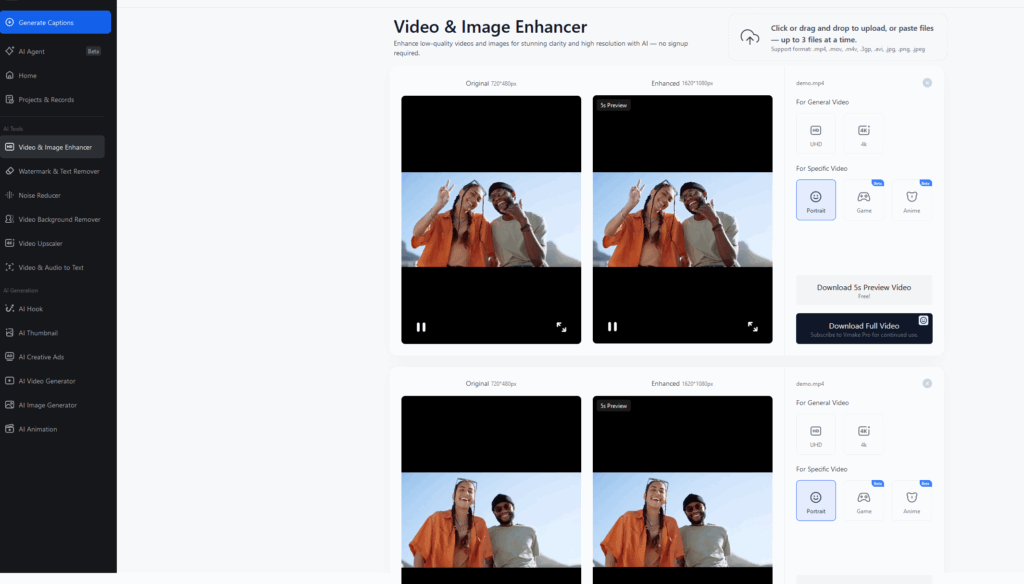
Vmake is an AI-powered video and image editing platform designed mainly for e-commerce sellers and content creators. It focuses on fast, automated tools such as background removal, video enhancement, and product-oriented content creation, helping users produce clean and professional visuals with minimal effort.
✅ Pros
- No registration required: Vmake allows users to start editing immediately without registering an account, making it convenient for quick, one-time tasks.
- Cloud-Based & Cross-Device Access: As a web-based platform, Vmake can be used across different devices without installation.
- Simple and Automated Workflow: AI-driven features reduce manual work, allowing users to generate polished content quickly without technical expertise.
❗ Cons
- Limited Advanced Editing Features: Vmake focuses on automation and lacks deep manual controls found in professional editing software.
- Size limits: Vmake imposes file size and length restrictions, which can be limiting when uploading large videos.
- No offline access: As a cloud-based platform, Vmake requires an internet connection to work. Users cannot edit or process content offline
🟢 HitPaw
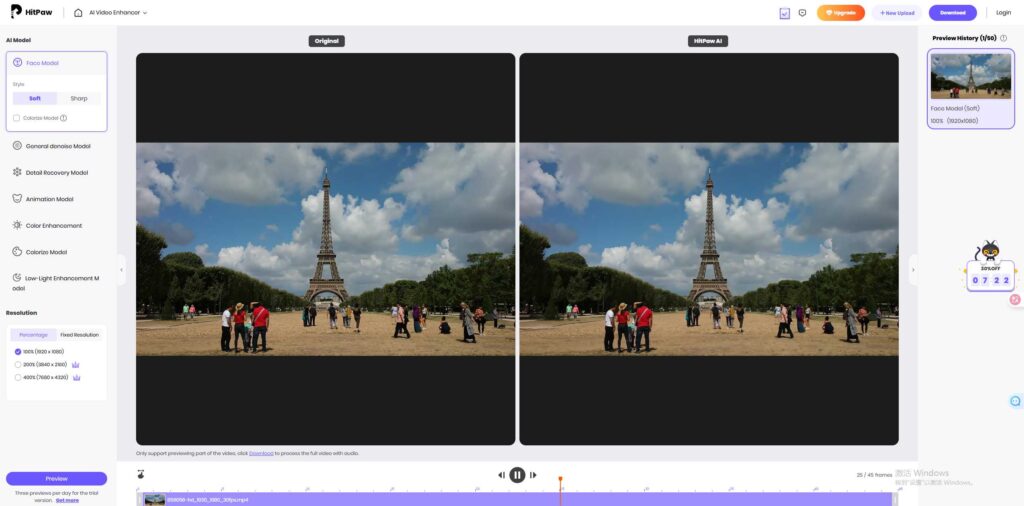
HitPaw is an AI-powered multimedia software suite focused on video, audio, and image enhancement. It is best known for its AI video enhancer, which improves resolution, reduces noise, and repairs low-quality footage with simple, user-friendly controls. It is especially popular among casual users and beginners.
✅ Pros
- Easy to Use: HitPaw features a clean and intuitive interface, allowing beginners to enhance videos with minimal setup or technical knowledge.
- Batch processing support: HitPaw allows users to process multiple files at once, saving time and improving efficiency when enhancing large numbers of videos.
- Easy to Use: HitPaw features a clean and intuitive interface, allowing beginners to enhance videos with minimal setup or technical knowledge.
❗ Cons
- Long processing time: AI enhancement can take a significant amount of time, especially for high-resolution videos.
- Limited Advanced Controls: It offers fewer AI models and manual adjustment options, which may frustrate advanced users or professionals.
- No auto-save feature: HitPaw does not automatically save progress during editing or processing. If the software crashes or is accidentally closed, users may lose their work and need to start over.
FAQs About AI Video Enhancement
Are AI video enhancers free to use?
Some offer free trials or limited free versions, but most advanced AI features require a paid plan or subscription.
Can AI-enhanced videos be used commercially?
Yes, in most cases, but users should always check the software’s license terms to ensure commercial use is allowed.
Are AI video enhancers suitable for old or damaged videos?
Yes, they are particularly effective for restoring old, blurry, noisy, or low-quality videos, including archival and VHS footage.
How is an AI video enhancer different from a traditional video editor?
AI video enhancers focus on automated quality improvement, while traditional editors mainly handle cutting, effects, and color grading and require more manual adjustments.